
Read-Only Domain Controller (RODC)
Read Only Domain Controller (RODC)
- Receives replication (one way), does not store login information, authenticates via the main D.C.
- May only carry local credentials for immediate staff, no admins
- Used under specific circumstances
- Can also perform DNS
Scenario
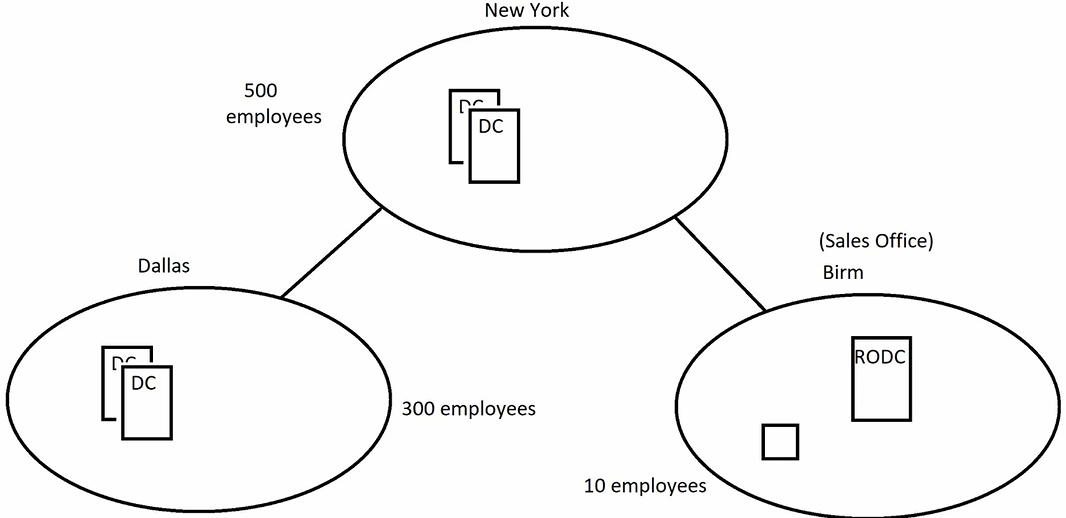
How to setup: (would normally be done via RDP or install locally and ship it to the location)
- On a Domain Controller
- Active Directory Users and Computers
- Right click Domain Controllers > Pre-create a read-only Domain Controller account
- Specify User/Group to be able to log in
- Finish
- Right click > Properties > Password replication policy
- Allowed RODC Password Replication Group
- Add local users' credentials to this group (non admins)
- Log into the other server
- After installing ADDS, when promoting the server to a D.C., Tick "RODC"
- Complete Setup